How to change your email password in Webmail
|
Quick Overview...
You can change your email passwords via https://webmail.webmate.me and within WebMate Control. Below are the steps to make the change in Webmail.
If you do change the password, it will need to be updated in the incoming and the outgoing settings on all devices that have the email account setup.
Detailed Instructions...
|
|
Step 1: Login to WebMail
|
|
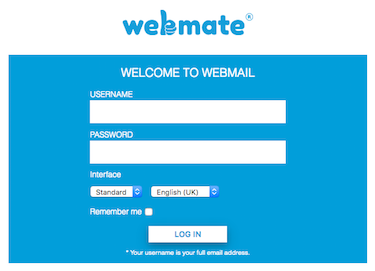
Go to https://webmail.webmate.me
Login with the full email address and the password for the email account.
|
 |
Step 2: Go to Preferences
|
|
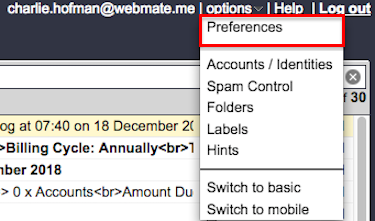
Go to Options and choose Preferences from the menu.
|
 |
Step 3: Click Change Password
|
|
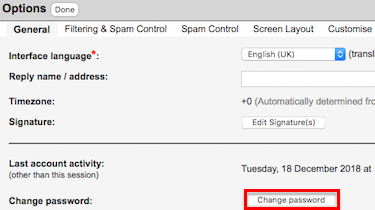
Click Change Password (in the middle of the page).
|
 |
Step 4: Enter New Password
|
|
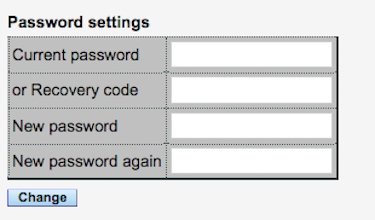
Add your new password twice to confirm and to avoid typos.
Click Change to complete the process.
 |
If you just use WebMail then you are ready to go with the new password.
If you have this account set up on any email clients like Apple Mail or on other devices like iPads, iPhones or other computers, the password will need to be updated in the incoming and the outgoing settings. |
|
|
 |
| |
Powered by WHMCompleteSolution