Quick Overview...Log in to WebMate Billing https://billing.webmate.me with your registered email address & password.Go to Domains in the menu and choose Renew Domains. Detailed instructions... |
||
| Step: #1 Log in to WebMate billing |
||
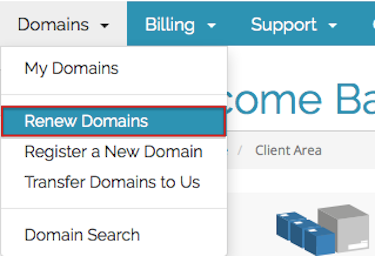 There are two ways to get to the WebMate Billing area… There are two ways to get to the WebMate Billing area… Login to your WebMate Control, click the billing link (top right) Log directly into WebMate billing using this address – https://billing.webmate.me Once you have logged in, click the Domains link in the menu and select Renew Domains. |
||
| Step: #2 Choose the Renewal Period | ||
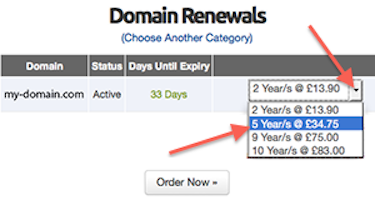 If the renewal date is within 180 days or less, there will be a drop-down menu to the right of the domain where you can choose to renew/extend the domain name for up to 10 years. If the renewal date is within 180 days or less, there will be a drop-down menu to the right of the domain where you can choose to renew/extend the domain name for up to 10 years.Click on the drop-down menu & Select the renewal period required When you’re done click on Order Now |
||
- 68 Los Usuarios han Encontrado Esto Útil